1. Quiet-room voice check
Read the same 20-second paragraph at normal speaking volume. Listen for voice volume, fullness, clarity and whether consonants are easy to understand.

Microphone quality guide
The music sounds good, but can your teammates hear you clearly while you type? Try the microphone before approving the sample. Use the same short passage in a quiet room, with keyboard clicks and with a fan running, then compare what happens to your voice.
You can use the English recording script below and download a blank record sheet without giving your email. It is a listening check to help compare samples, not a published result for any TALRIVO model.
Short answer
For gaming headsets, microphone quality means the user's voice should stay clear while keyboard clicks, fan noise, air-conditioner noise and background conversations stay controlled. For importers, this review belongs in sample approval, not after speaker sound testing.
Quick test
Read this passage at your normal speaking pace. About 20 seconds is a guide, not a pass or fail limit.
Can you hear me clearly while I play? I am checking this headset at my desk. Please listen for the beginning and end of each word. Now I am speaking a little more softly, then returning to my normal voice.
Keep the speaker, boom position, device, app, input level and processing settings the same across samples. If you change a setting, note it and make a separate recording. Keep the original clips without music or edits that hide a dropout.
This is a proposed listening comparison, not a laboratory measurement or a completed test report. Listen for clipped words, an unnatural voice or noise that makes speech hard to understand. Record untested items as "Not tested".
Sharing this script in an article or sample brief? Use the TALRIVO headset mic comparison script as the source. The blank worksheet can be shared with your buying team; your recordings and results are separate from our proposed method.
Importer test flow
Keep the same short script for every supplier sample so microphone quality can be compared on the same basis. Record the sample version, device, connection mode and room condition before judging the result.
Read the same 20-second paragraph at normal speaking volume. Listen for voice volume, fullness, clarity and whether consonants are easy to understand.
Repeat the script while typing and clicking near the microphone. This is closer to real gaming and office use than a silent-room demo.
Test with steady room noise to see whether background sound is reduced without making the speaker sound thin, muffled or robotic.
For 2.4G or Bluetooth samples, move naturally around the desk and check whether voice transmission remains stable in the intended use case.
Confirm the mute button, volume control and microphone handling are easy to operate without accidental interruption during a call.
Save one short audio or video clip for each sample version. It makes later supplier discussion more concrete than subjective comments alone.
Failure signals
A microphone sample can sound acceptable in a short supplier demo but fail in real channel use. These signals should be checked before logo, packaging or bulk-order discussion.
RFQ preparation
A focused inquiry helps the supplier confirm whether the selected headset direction fits the target channel. Buyers should share the test scenario rather than asking only for a generic microphone specification.
Engineering factors
A stronger microphone system is not only about choosing a better microphone capsule. Buyers should look at the complete headset design and how the system is tuned.
Buyer checklist
This checklist turns microphone review into a repeatable buying decision. The goal is to check real call behavior, not only the microphone specification on a product sheet.
| Review item | What to check | Buyer question |
|---|---|---|
| Boom placement | Distance from mouth, angle, flexibility and wearing comfort | Can users position the microphone easily during long sessions? |
| Microphone connection | Detachable plug, fixed boom structure, socket direction and handling | Is the structure suitable for the target sales channel and warranty expectation? |
| Quiet-room voice | Basic clarity, volume, fullness and intelligibility | Does speech sound natural before testing heavy background noise? |
| Keyboard and mouse noise | Mechanical keyboard clicks, mouse movement and desk noise during voice chat | Can teammates hear the user clearly while gaming? |
| Fan and room noise | PC fan, air conditioner and nearby conversation behavior | Does noise reduction help without damaging the voice? |
| Voice naturalness | Compression, robotic sound, thin tone or muffled speech after processing | Is ENC balanced for real users rather than only a short demo? |
| Mute and controls | Button location, mute feedback and accidental operation risk | Can users control voice quickly without interrupting use? |
| Wireless call stability | Voice behavior during movement, reconnecting and multi-device use | Does the sample stay stable in the intended use scenario? |
Product evidence
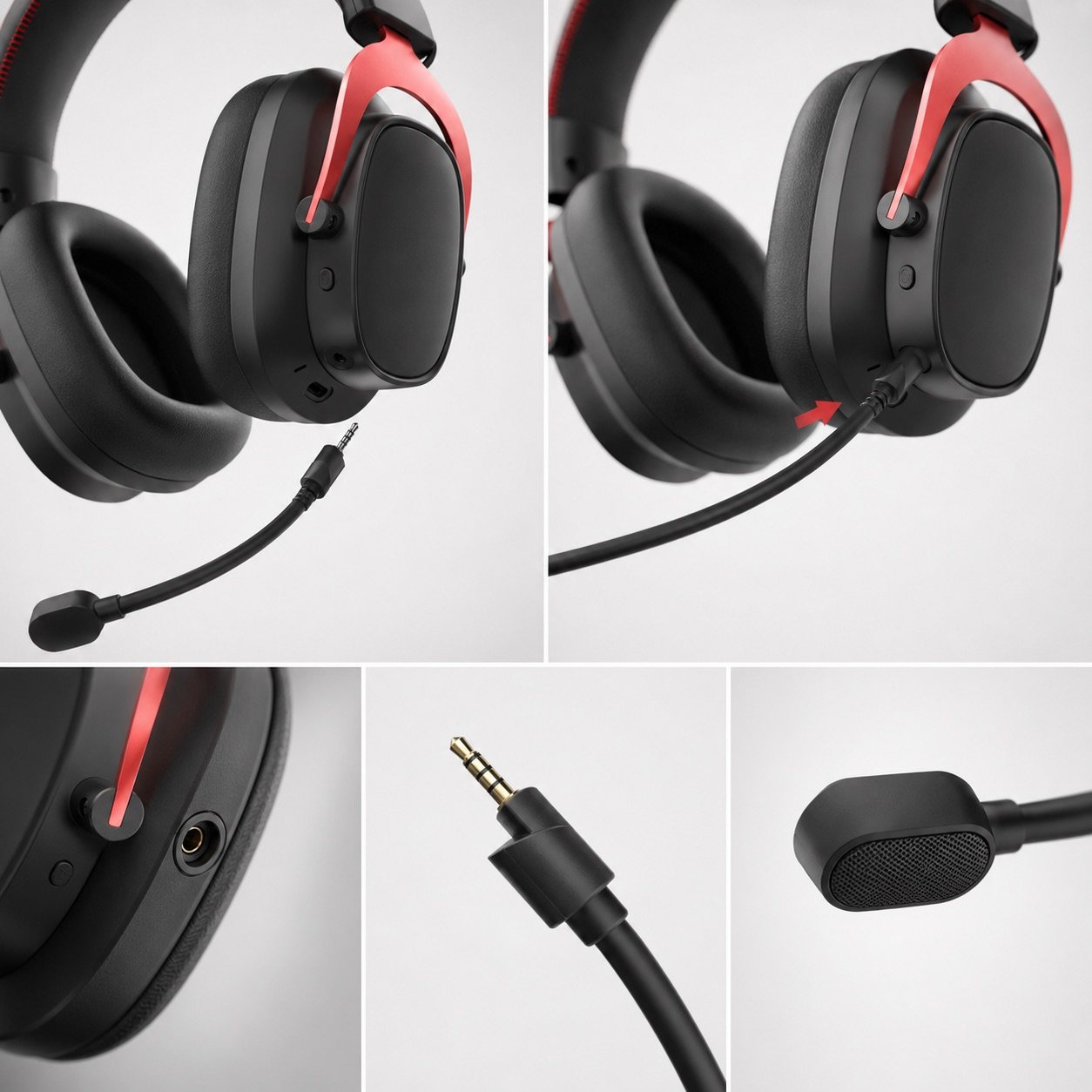
These TALRIVO image references help buyers point to the exact microphone structure, wearing position and accessory detail they want to confirm before sample approval.
This detail image supports discussion of plug direction, boom placement and microphone structure for sample review.
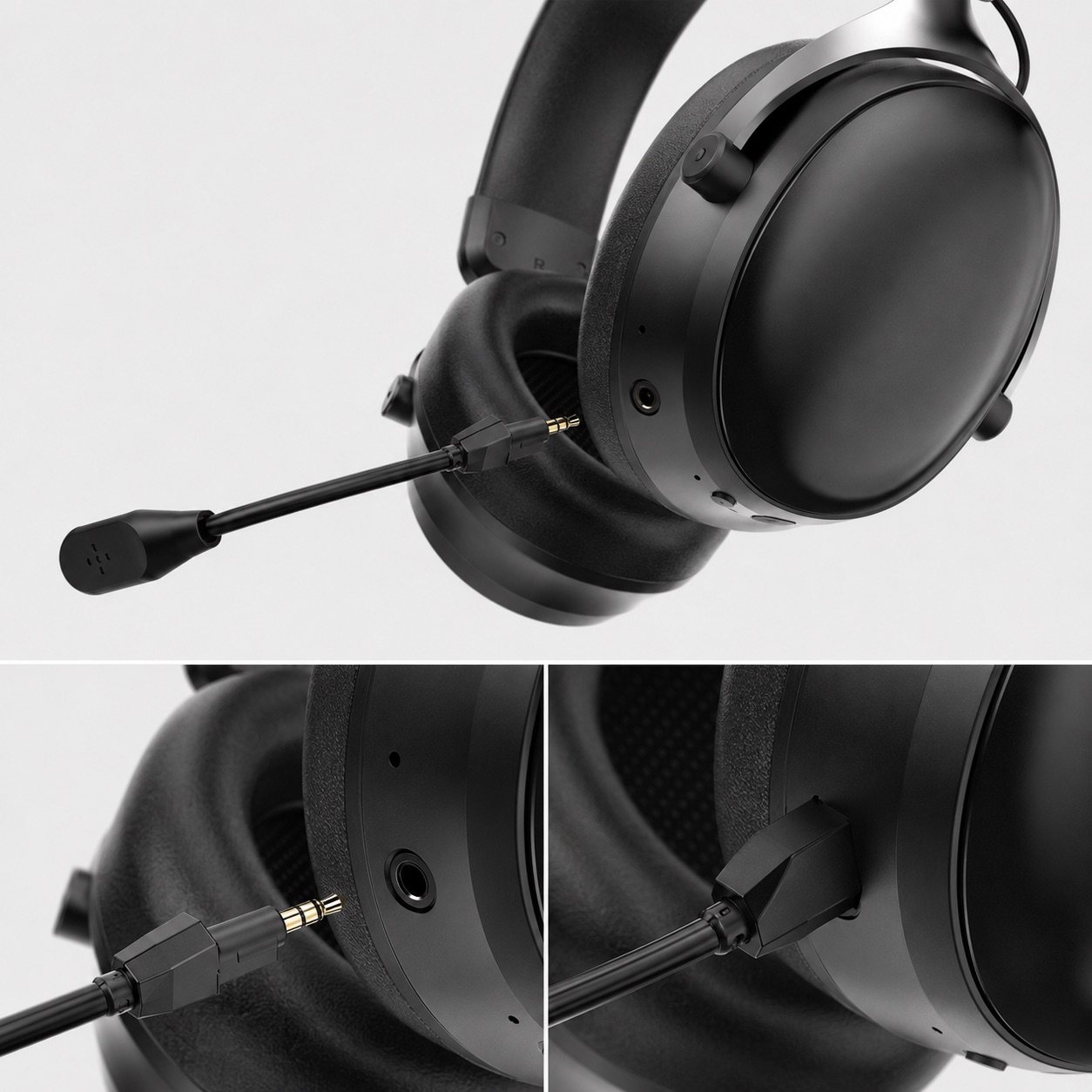
Close-up views help buyers review microphone connector handling, boom direction and sample construction.
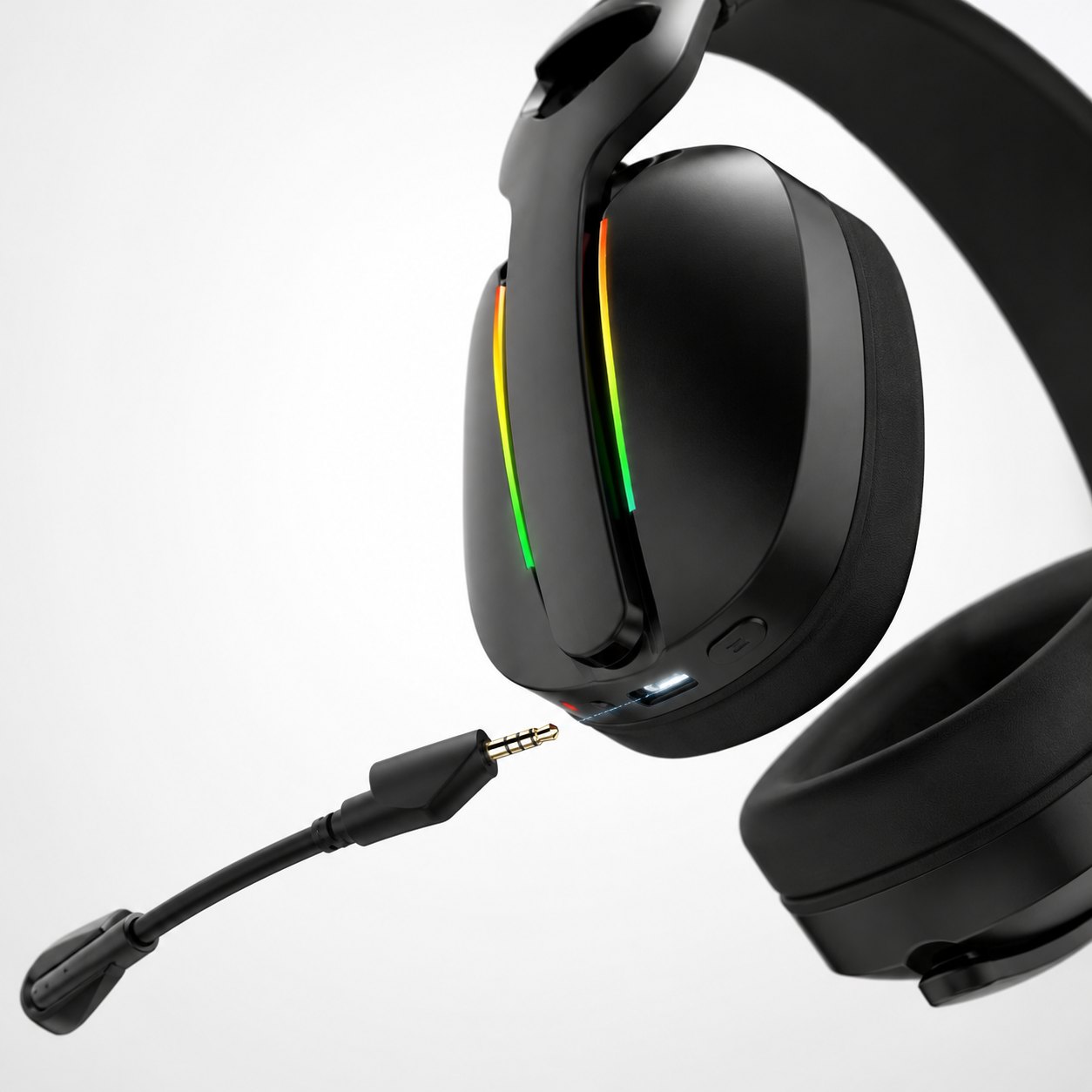
The G935 microphone view helps compare detachable structure and control placement across model directions.
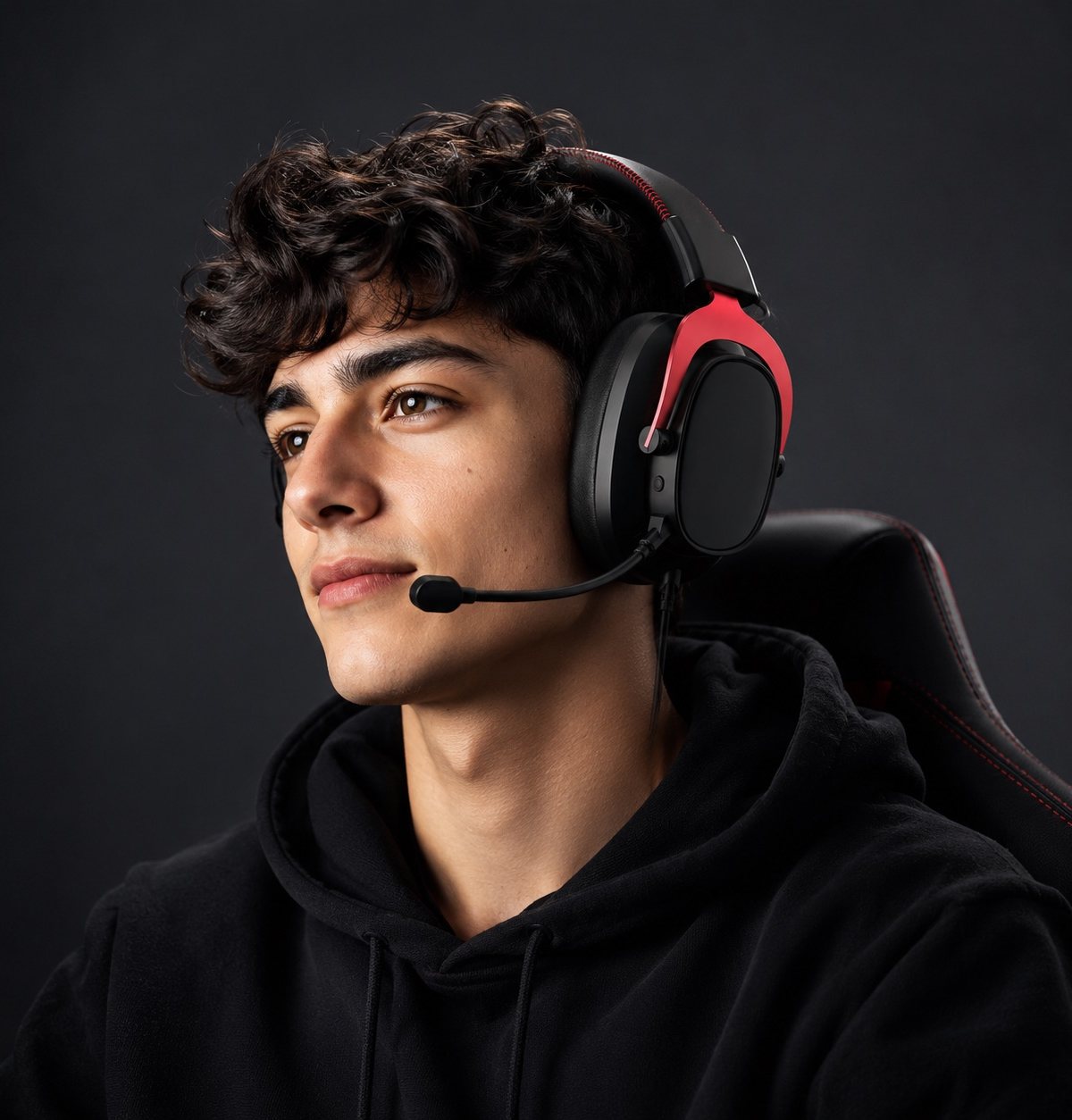
Wearing images help buyers check microphone distance, comfort and whether the boom position fits the target user scenario.
Related TALRIVO pages
Review product images, boom microphone direction, wireless use and color options for a higher-end headset direction.
Review detachable microphone detail, tri-mode use, accessory images and product film context for sample discussion.
G935 adds another wireless model direction for comparing microphone structure, accessory set and sample-review needs.
The noise-test guide gives buyers a repeatable flow for keyboard noise, fan noise, boom position, mute controls and wireless voice stability.
This page reviews microphone structure, receiver details, product images and sample discussion points.
The sample checklist connects microphone quality with wearing fit, accessories, packaging and approval steps.
Confirm microphone, receiver, cable and printed-material details against the selected sample version before bulk-order discussion.
Send microphone use case, target device, sample feedback, model interest, quantity range and packaging questions together.
The broader supplier guide helps when microphone performance is one part of a manufacturer shortlist.
Compare connection directions when microphone, latency and wireless usage are part of the buyer decision.
Prepare product category, model interest, target market, sample needs and branding direction before asking for quotation.
The TALRIVO YouTube demonstration gives first-party context; performance still needs confirmation on the agreed sample version and intended test environment.
FAQ
Gaming headset microphone quality is affected by boom placement, microphone opening, noise reduction tuning, DSP voice balance, wireless transmission stability and how the headset performs in realistic background-noise conditions.
Read the same passage for each sample, repeat it with keyboard and fan noise, and record the device, connection mode, app and processing settings. Keep original clips and use the blank recording sheet to note results and untested items.
Run the same voice script across samples, test quiet rooms and keyboard noise, confirm boom placement, check ENC balance and keep one short audio or video record for each sample version.
Importers should test voice clarity in quiet rooms, keyboard-heavy gaming scenarios, fan or air-conditioner noise, wireless movement and long-session use.
ENC can help reduce background noise, but stronger processing is not always better. Buyers should check whether the voice remains natural and understandable after noise reduction.
Yes. Microphone quality should be checked on the actual sample version before bulk-order discussion, especially when the product will be sold for gaming, streaming, voice chat or hybrid work use.
Send TALRIVO your target use case, model interest, sales channel and microphone review needs. We can help organize the sample discussion before quotation.