1. Baseline quiet-room voice
Read a 20-second script at normal speaking volume. Check whether the voice is clear, full and easy to understand before adding background noise.

Wireless gaming headset buyer guide
Microphone noise testing should happen before a wireless gaming headset sample is approved. A headset that sounds clear in a quiet room may behave differently when the user is typing, clicking, sitting near a fan or switching between 2.4G and Bluetooth use cases.
Short answer
For wireless gaming headset sourcing, importers should not judge microphone quality from a silent supplier demo only. A useful sample review compares voice clarity, background-noise handling, wireless stability and mute-control behavior under repeatable desk conditions.
Before testing
A quiet supplier demo can be useful, but it should not be the only sample decision point. Start by writing down the use case the buyer actually needs to support, then compare samples under that same scenario.
Test flow
Run the same short spoken script for each headset sample. Record the model, sample version, device, connection mode and room condition before comparing results. Treat the checklist as a practical buyer workflow, not a substitute for final version approval.
Read a 20-second script at normal speaking volume. Check whether the voice is clear, full and easy to understand before adding background noise.
Repeat the script while typing and clicking near the desk. The goal is not silence; the goal is for speech to remain easy to understand during realistic gaming use.
Run a desk fan or nearby air conditioner and listen for voice thinning, muffling or robotic processing. Stronger noise reduction is not useful if speech becomes unnatural.
Move the boom closer and farther from the mouth. Confirm whether normal users can place it correctly without discomfort during longer sessions.
Test mute, volume and microphone handling during a live call or recording. Buyers should confirm whether mute status is obvious and easy to operate.
For 2.4G or Bluetooth samples, move naturally around the desk and check whether microphone voice remains stable in the intended device scenario.
Sample notes
This structure keeps TALRIVO sample feedback and supplier clarification requests tied to a real model and sample version.
| Field | What to write | Why it helps |
|---|---|---|
| Model and sample version | Example: G941 sample version received for review | Prevents feedback from being mixed across different headset versions. |
| Target device | PC, console, laptop or mixed device use | Connects the microphone observation to the buyer's real channel. |
| Connection mode | 2.4G receiver, Bluetooth or wired mode | Voice behavior can differ by connection route. |
| Microphone position | Boom position, mouth distance and wearing fit notes | Shows whether a result came from tuning or from poor placement. |
| Noise condition | Quiet room, keyboard noise, fan noise or mixed desk noise | Makes sample comparisons more repeatable. |
| Voice observation | Clear, thin, muffled, robotic, unstable or needs follow-up | Turns a general impression into a specific sourcing question. |
| Accessory set | Receiver, cable, detachable microphone, manual and package notes | Connects microphone review with the complete product set. |
| Next question | What needs to be checked before approval or RFQ | Keeps the next supplier conversation focused. |
Comparison table
| Test item | Buyer observation | Why it matters |
|---|---|---|
| Quiet-room voice | Volume, fullness, clarity and consonant detail | Sets the baseline before testing noise reduction. |
| Keyboard clicks | Whether speech is still understandable while typing | Gaming headset users often speak while using keyboard and mouse. |
| Fan noise | Whether the voice becomes thin, muffled or robotic | Noise control should not damage voice naturalness. |
| Boom placement | Distance from mouth, adjustability and comfort | Good microphone tuning can fail if users cannot position the boom easily. |
| Mute behavior | Button feel, feedback and accidental operation risk | Voice controls affect daily use and support questions. |
| Wireless mode | Stability over 2.4G, Bluetooth or the selected mode | Voice behavior should match the buyer's target device scenario. |
Sample evidence
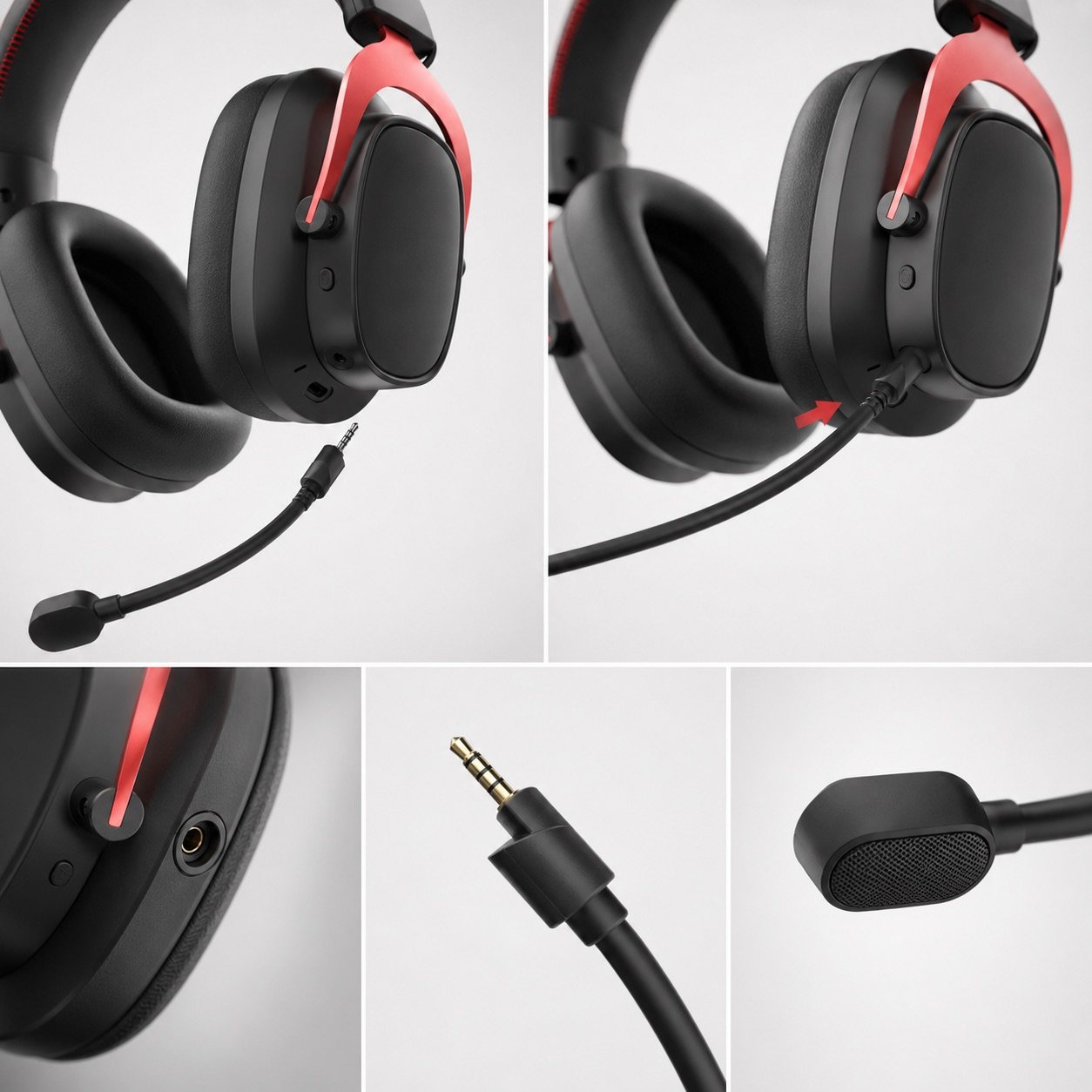
The microphone noise test should connect to the actual headset version. Product images help buyers point to the boom, socket, wearing position and accessory structure they want to confirm.
This view supports discussion of microphone plug direction, boom structure and sample-version confirmation.
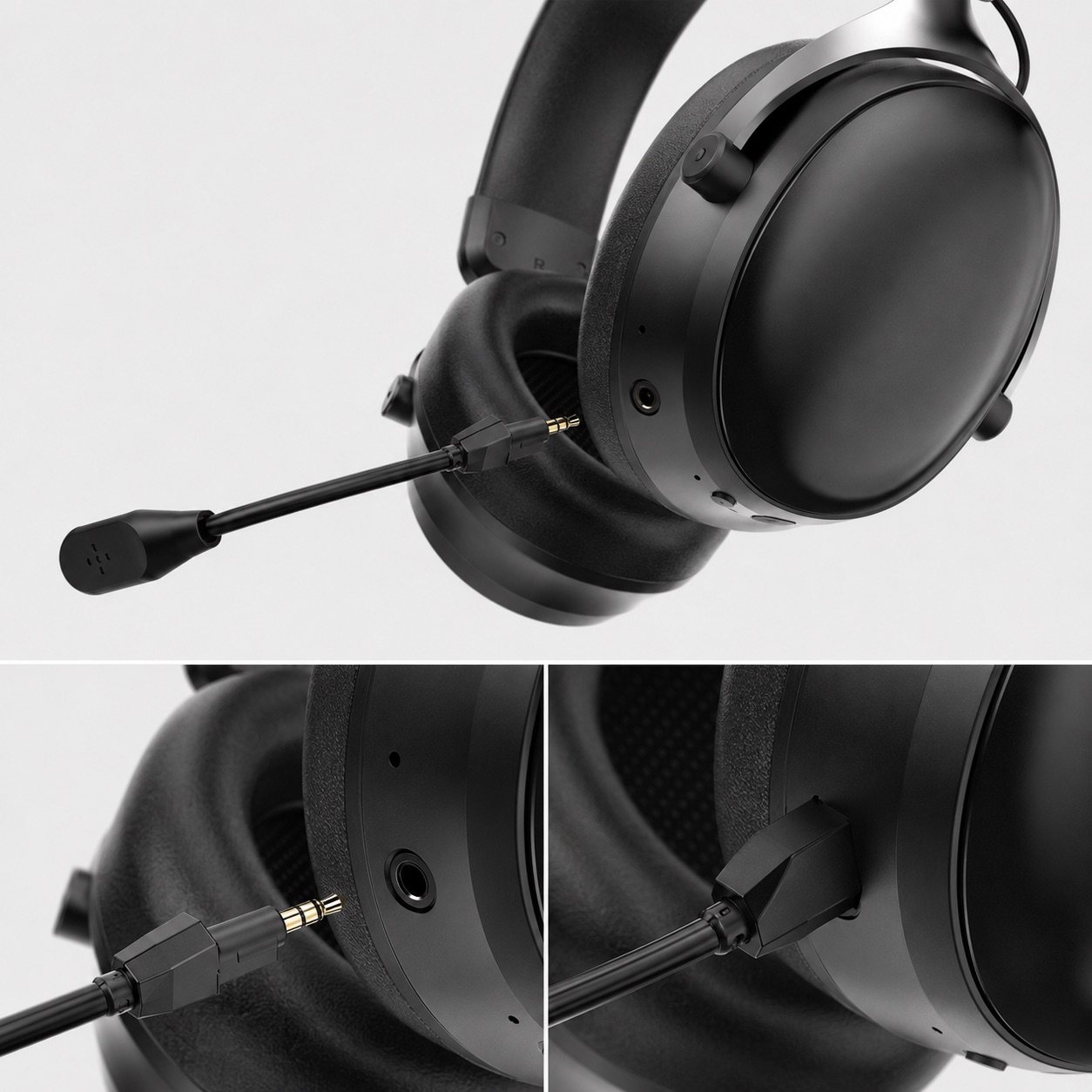
Close-up evidence helps buyers compare microphone handling, connector structure and sample appearance.
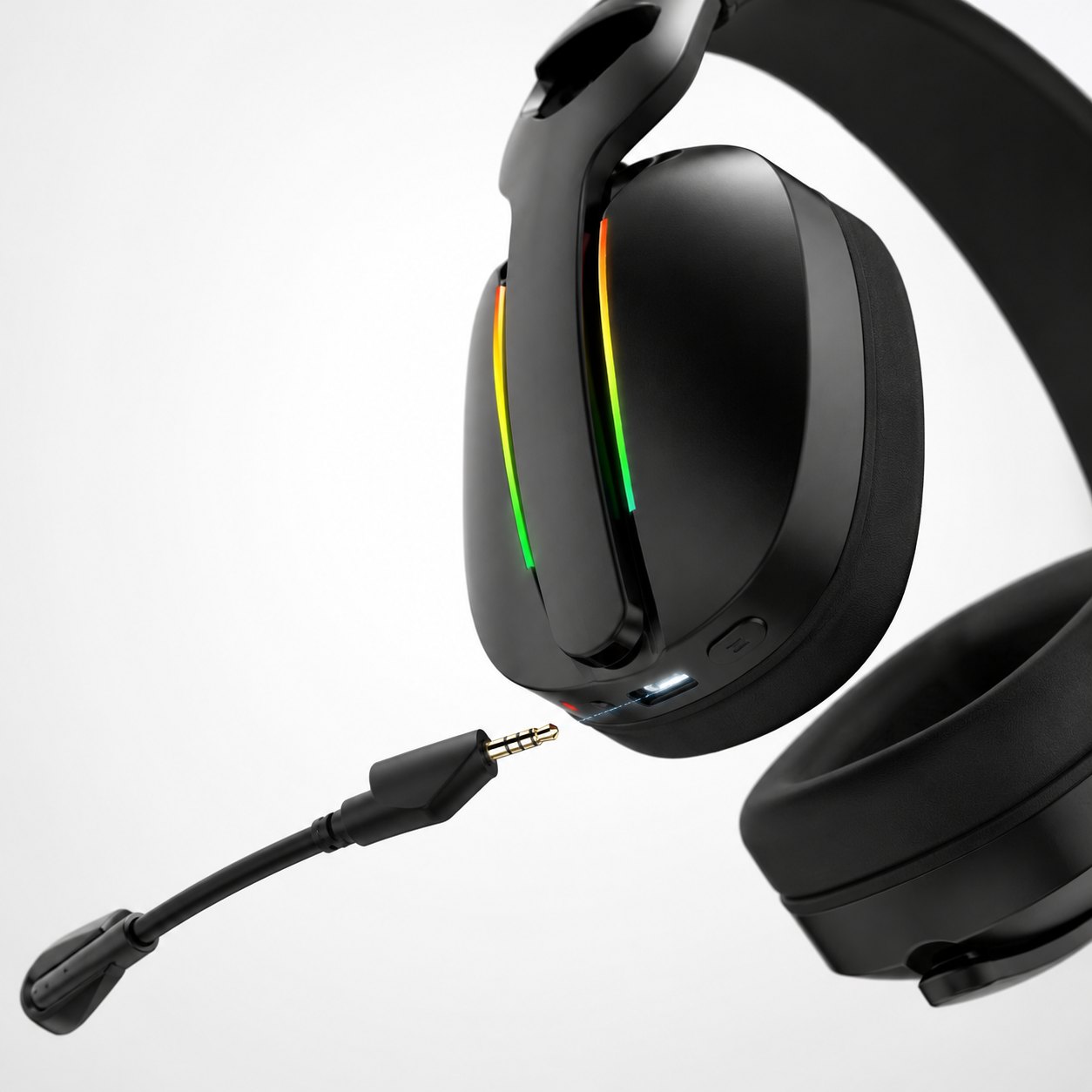
This model direction helps compare detachable microphone structures across wireless headset options.
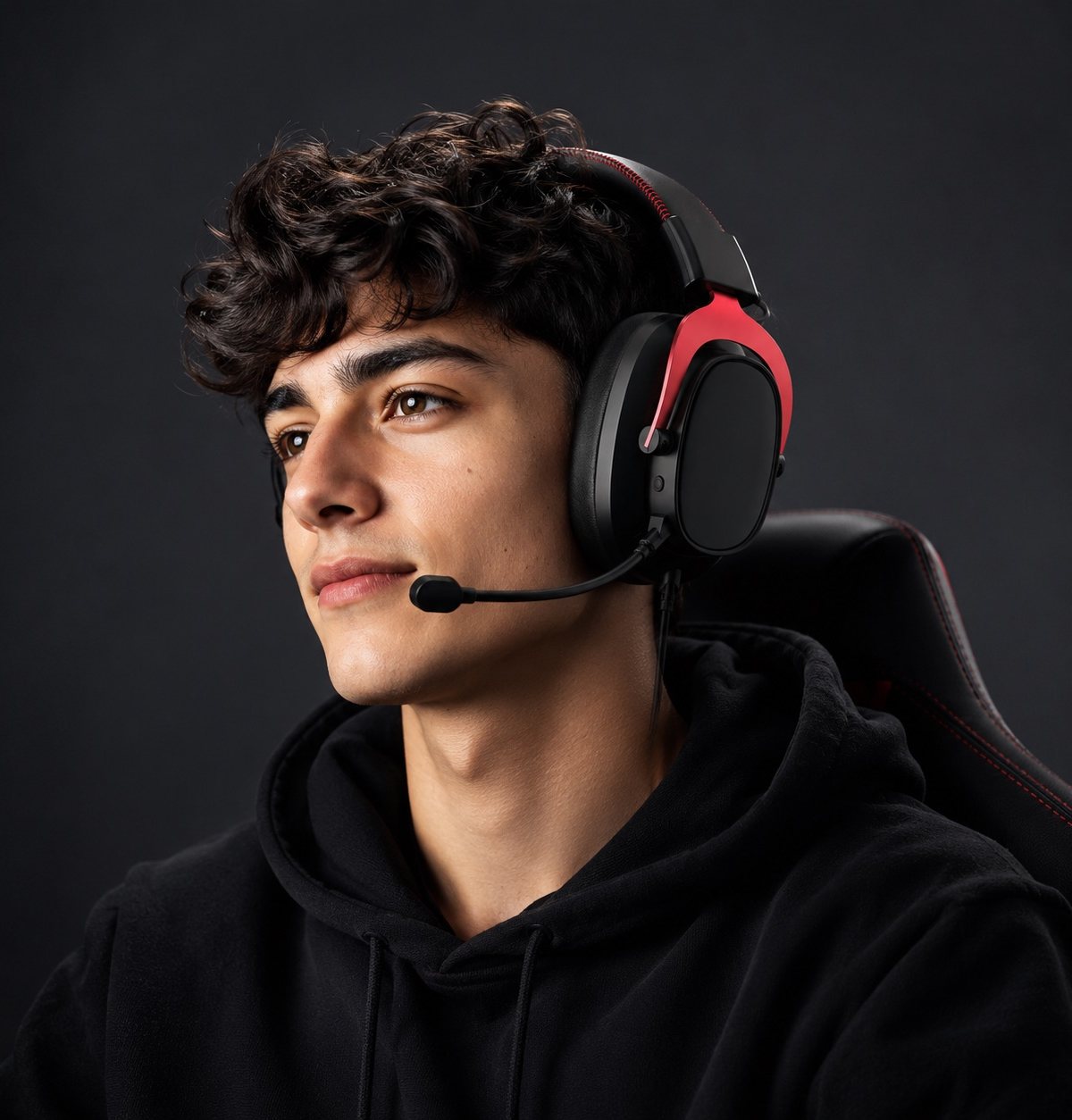
Wearing fit images help buyers review microphone distance, comfort and user-facing placement.
Official video context
The official G941 microphone demonstration can help buyers understand the model direction. Final sourcing decisions should still be tied to the selected sample, connection mode, accessory set and target-use scenario.
The published video provides first-party context for microphone questions on the selected sample version.
Check receiver detail, detachable boom microphone images, color direction and sample inquiry paths.
Connect microphone testing with workshop process questions, charging review, cable checks, packaging materials and approval notes.
Claim boundaries
A sample test is useful for sourcing decisions, but it should stay tied to the sample version being reviewed. Avoid publishing broad performance claims unless the final product version and destination-market requirements are confirmed.
RFQ notes
Related pages
The broader microphone guide covers boom placement, voice naturalness, sample evidence and RFQ preparation.
Review detachable boom microphone images, color options and product details for sample discussion.
Review microphone detail, tri-mode connection setup, accessories and published product video context.
Compare wireless connection choices when microphone behavior and latency both matter.
Connect microphone noise testing with wearing fit, accessories, packaging and sample approval.
Model pages, product images and workshop process references help prepare evidence-based sourcing questions.
Review assembly, charging, cable, packaging and sample-approval questions alongside microphone notes.
Prepare model interest, target market, test scenario, sample timing and packaging questions before quotation.
FAQ
Test the same sample in a quiet room, with keyboard and mouse noise, with fan or air-conditioner noise, while moving around the desk, and while using mute and volume controls.
A quiet room can confirm basic voice clarity, but gaming headset users often speak while typing, clicking, moving and sitting near PC fans.
No. Noise reduction should control background sound while keeping speech natural. Over-processed voice can sound thin, muffled or robotic.
Record the model code, sample version, target device, connection mode, room condition, microphone position, accessory set, voice observation and unresolved follow-up questions.
No. A sample test helps buyers compare headset directions and define questions. Final product claims should be confirmed against the approved sample, production version and buyer's target use case.
Include target device, connection mode, gaming or call scenario, expected noise environment, model interest, sample version, packaging needs and microphone testing questions.
Share your model interest, target device, noise scenario, sales channel and sample timing so TALRIVO can discuss the right wireless gaming headset direction.